
- Remove obstacles, including shopping carts, maintenance equipment, and abandoned cars, from handicapped parking spaces and access aisles to keep those spaces available for patrons in need
![Image of an over-turned red shopping cart in a parking lot.]()
- Depending on climate and geography, clear completely snow, ice, mud, and leaves from accessible parking spaces whenever plowing or clearing the rest of the parking area.

- This is especially prudent in winter, as the months get colder and snowier. Be sure that cleaning crews do not pile snow or gravel in the accessible parking spaces, access aisles, and curb ramps.
- Ensure that boxes, vending machines, display racks, or other equipment do not block the maneuvering clearances required at the doors of accessible entrances or store aisles
- Staff the accessible sales counters and check-out aisles during all business hours.
- Accessible communication is a must! Alternate formats of printed information for customers have to be kept up to date to be useful.
- For instance, offering a Braille brochure with old telephone numbers will only frustrate and confuse customers and prevent future business for you!
- Provide alternative text (a textual description in the image’s code) to describe all aspects of the image. If this is an item you’re selling, the alt text is a necessary step to describe what a consumer might buy, and a lack of information could dissuade a future sale.
- Have a skip navigation This helpful and often link improves readability navigation and ‘jumps’ right to the main content, i.e. your products and services.
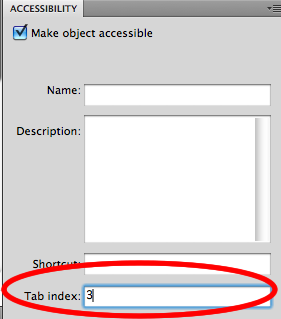
- Increase navigation through an accessible tab order. Having it in a logical order can promote an easier experience for users of assistive technology.
![Screenshot of a menu to set the tab index for web content]()
- Are you using videos or audio to describe products? Make sure any content with an auditory component has captioning.
- Even better, if you have a longer, more complex video, include audio description for users who are blind or low vision.
- Use colors judiciously on your website, and make sure there is good contrast between foreground and background colors. You don’t have to avoid colors, just make sure it’s accessible for users with visual disabilities.
- Watch out for time-outs! Sometimes, online stores use a timer for users to finish transactions or items in high-demand (like concert tickets) are removed from their cart. Allow extra time for users of assistive technology, and provide alerts when time is close to completion.
The post Inaccessibility is on the Naughty List this Holiday Season! appeared first on Accessibility Partners.